See which AI crawlers read your site, from your own server logs
An assistant cannot cite a page it cannot read. Sonable shows what your robots.txt allows each AI crawler and, from your server logs, what they really fetched and where they failed.
Access and visits
Crawler access shows what your robots.txt allows each AI crawler, split into crawlers that fetch pages for answers and crawlers that collect training data, and whether your key pages show their content without JavaScript. It is checked every week.
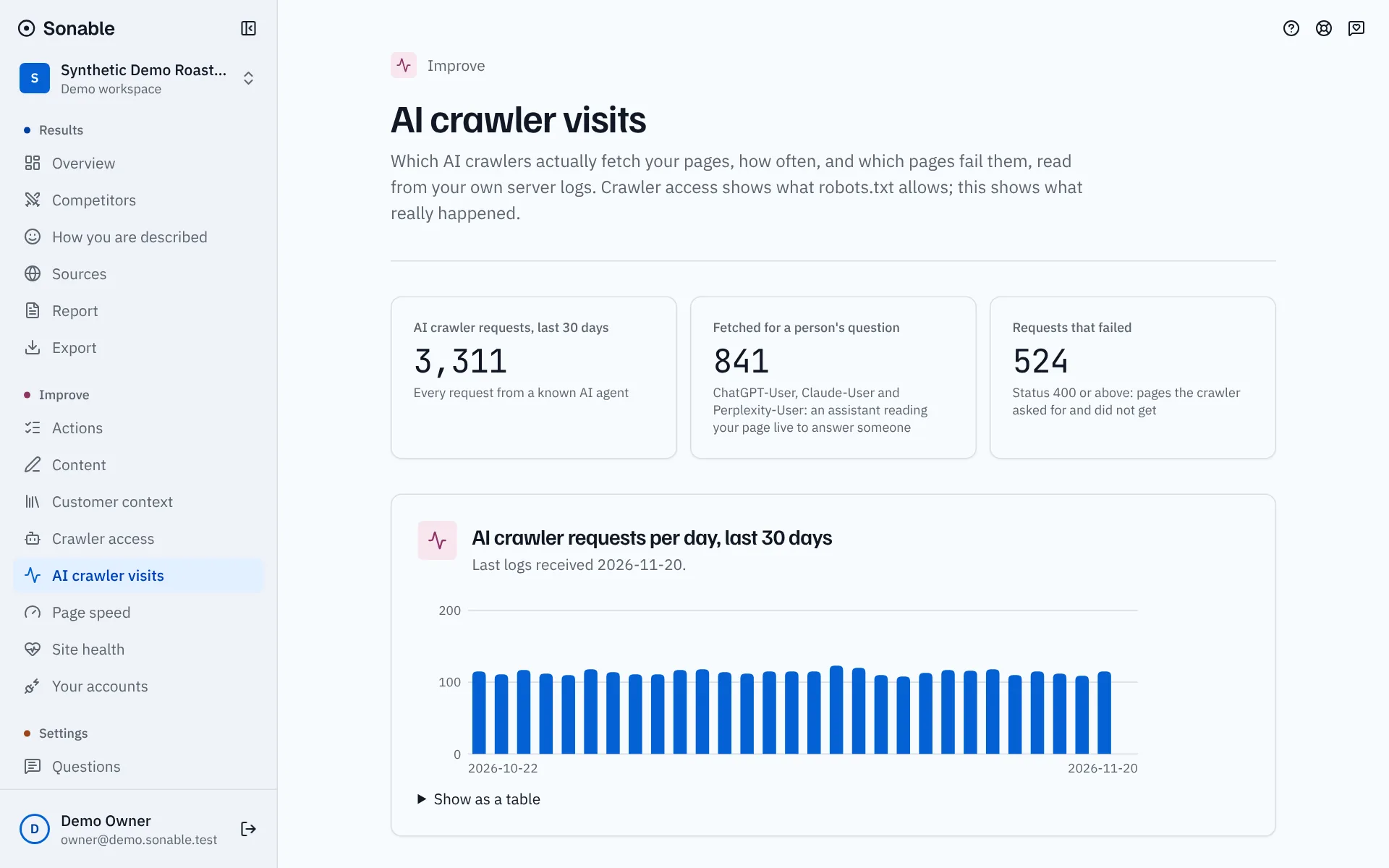
AI crawler visits shows what really happened: which crawlers fetched your pages, requests per day, fetches made live for a person’s question (ChatGPT-User, Claude-User and Perplexity-User), failed requests, and the most crawled pages.
How the logs get in
Upload an access log in Apache or nginx combined format, or JSON lines from Vercel, Cloudflare, Netlify or Fastly, gzipped or not, up to 500 MB. The file is read in your browser, and only the day, crawler, page and request count are sent. No IP addresses, query strings or other visitors leave your browser.
To send logs automatically from a log drain or a scheduled job, post them to the crawler logs endpoint of the API.
Limits
Crawlers are identified by the user agent they send, which can be faked. Counts are not checked against the vendors’ IP ranges.
Related features
Action plan
The first thing stopping assistants recommending you for each question, as a short list of actions with their evidence.
API and MCP server
A REST API and an MCP server with 17 tools, so scripts and assistants such as Claude read the same figures you do.
AI visibility tracking
How often each assistant mentions you, recommends you and cites your site, with the margin of error beside every number.
See where you stand first
The free report asks the assistants about your business and emails you the result: how often they name you, who they name instead, and what to fix. No card needed.